Shawn Durrani
Deployment Strategist, ElevenLabs
I build my own AI tools on the side and write up what breaks.
Experiments
Who said that? Naming voices in a group chat with AI
ElevenLabs • NVIDIA NeMo • sherpa-onnx · 8 Aug 2026
Spendglass: an agent that can read my spending but can't move money
MCP • Redbark • SQLite · 3 Aug 2026
Membro: a memory that shows where each fact came from
MCP • SQLite • Claude · 4 Jul 2026
My prompt cache was working. The bill still looked wrong.
Anthropic • OpenAI • Prompt caching · 23 Jun 2026
Crossband: putting different AI models in the same conversation
Claude • GPT • Qwen • ElevenLabs · 12 Jun 2026
An affiliate pipeline run by agents, from a video to a checkout
Agentic Workflow • Affiliate Automation · 13 Feb 2026
MCP Merchant: a public MCP server for agentic commerce
MCP • SSE • Stripe (test mode) · 15 Sep 2025 · demo offline
Agentic commerce demo: a checkout you talk your way through
OpenAI • Stripe • ElevenLabs • Node.js · 2 Aug 2025
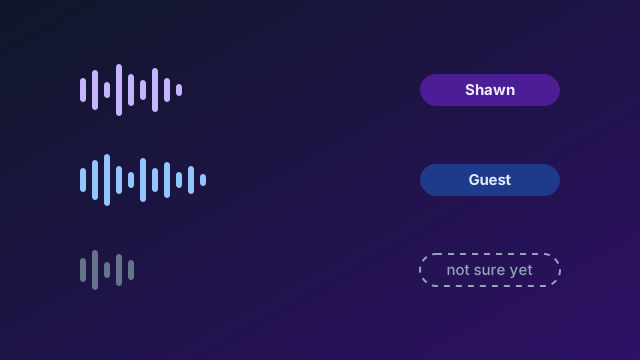
Who said that? Naming voices in a group chat with AI
8 Aug 2026
Once more than one person could talk to Crossband by voice, the app had to know who said each thing. A transcript can get every word right and still put a sentence on the wrong person. That mistake doesn't stay in one chat. It can end up in memory as a fact about someone it was never about.
Getting the words right turned out to be the easier half. Most of my time on voice has gone into the other half: learning voices, deciding when a name is safe to show, handling two people talking at once, and letting me correct or forget a voice.
Why I built it this way
Working out who's speaking happens on my Mac. The only audio that leaves it is each turn's sound going to ElevenLabs to be turned into words, and no stored voice clip goes with it.
When the app isn't sure who spoke, it leaves the turn unnamed and says why. The models read an unnamed turn as an unidentified speaker, never as me. An unnamed turn can be fixed later, but a wrongly named one may already have reached memory.
Stack
- ElevenLabs Scribe, in its live mode, for the words and the time each word was said
- NVIDIA Nemotron-3-Diarization, running through NeMo-Speech.cpp on my Mac, to track which voice is speaking when
- sherpa-onnx with two small voice models, TitaNet-Small and ERes2Net, to match a voice against the people it knows
- Membro, my memory app, which holds anything a guest says for my review
- A test rig that plays made-up conversations in ElevenLabs voices into a throwaway copy of Crossband and scores the names
What happens when two people talk
- When someone starts talking, a voice session opens. It ends after 10 minutes of silence.
- The audio streams to a local tracker a quarter of a second at a time. It follows up to 8 voices and keeps each one's number for the whole session. Each turn's audio also goes to ElevenLabs for the words.
- Every stretch of at least 0.8 seconds where one voice speaks alone is compared with the voices the app knows, using both voice models. Speech where two people overlap is never used for matching.
- A voice gets a name only when the app is at least 90% sure. With less than 1.5 seconds of clean speech, it keeps listening.
- When two people talk over each other, each word goes to whoever was speaking at that moment. A word said during the overlap goes to the main speaker and is marked as unsure.
- After 4 seconds of a voice it doesn't know, the app asks once: "Someone new is talking. Who's this?" Anyone already named can answer "that's Sam", or the new person can say their own name.
- Saying "that's the TV" tells the app to ignore that voice for the rest of the session.
- A turn from one guest the app is sure about goes to memory under that guest's name. Anything less certain goes as an unknown guest, and guest facts wait for my review.
What went wrong
- One evening a misheard "This is Claude" put Claude on the room's list of people. About two hours later the app named an unknown human by elimination, gave that voice to Claude's empty seat, and saved 27 seconds of a real person's audio under it. I deleted it twice, and it came back each time. The app now refuses to seat an AI's name, including misheard spellings of it.
- A burst of static was named as a guest who wasn't in the room, and saved as that guest's voice. Sound now has to pass a speech check before it can be matched.
- The first design named each whole turn. On a real two-person evening in September it got 16 of 55 stretches right and 10 wrong. I rebuilt it to follow each voice through the session and name it once, from everything it has said.
- A 0.3 second "okay" was filed under the wrong voice. Scoring the whole turn fixed that case, but it left many short correct replies unnamed. I narrowed it back, and a short reply from an unknown voice can still keep the wrong name.
- Sometimes the chat stays on Listening after someone has finished talking. Every stall now saves a diagnostics file, and those files have turned up five different causes so far, from a dropped network to the phone's own audio playback. It still isn't solved.
How well it works now
In tests while I was redesigning it, the app named a voice correctly 55% of the time after about 2 seconds of speech, 93% after about 4 seconds, and 100% after about 11 seconds, with no wrong names at any length.
The test rig plays 29 scripted turns. Its first run got 25 right, left 2 unnamed and got 2 wrong. After two rounds of fixes it gets 27 right, leaves 2 unnamed and gets none wrong. A longer run of six scripts got 43 of 45 turns right with none wrong. A rerun costs about 9 cents and takes about 12 minutes.
Limits
- With one microphone, the quieter person's words are often missing when two people talk at once.
- The settings were tuned on one family's voices, in English. Voices that sound alike are left unnamed, and no other language has been measured.
- The test rig uses synthetic voices, so it can't set the thresholds, and it can't yet play through a speaker into a microphone.
- "That's the TV" only lasts for one session.
The code
shawn-durrani/crossband on GitHubSpendglass: an agent that can read my spending but can't move money
3 Aug 2026
I wanted to ask my AI agents plain questions about my spending, like what changed this month or which subscriptions have crept up in price. To answer those, an agent needs my bank transactions, and I wanted them to stay on my own computer.
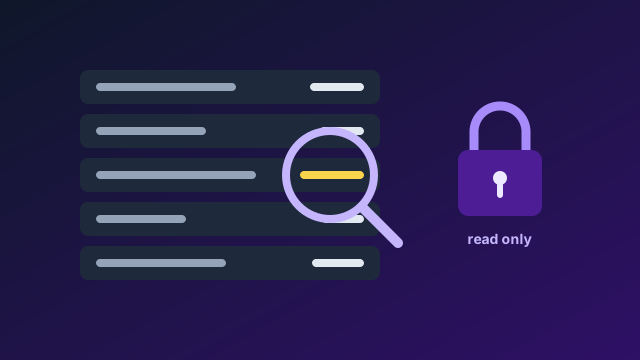
Spendglass keeps a copy of my transactions on my Mac and gives agents a fixed set of questions they can ask it. Nothing in it can move money. The bank connection only reads, and none of the agent's tools can change anything.
Why I built it this way
Letting an agent see bank data is already a big step, so I kept everything around it as small as I could. The app only answers on the computer it runs on. My other apps are on my Tailscale network so I can use them from my phone, but this one shows bank data, and I haven't wanted to open it any wider.
Each part has one job. The bank sync runs as its own short process and is the only part that holds a working bank client. The agent tools and the web page only read what's already stored.
Stack
- Python with FastAPI for the web page
- SQLite, one file on my Mac
- Redbark for the bank feed, an Australian open banking service that works under the Consumer Data Right
- The Model Context Protocol for the agent tools, so any agent that speaks MCP can use them
- Claude, optional, for working out who a merchant is from a cryptic bank description
- Apache ECharts for the charts, bundled in so a page load fetches nothing from the internet
- Passkeys for the lock screen, with a password as the fallback
What it does
- Every six hours, the sync asks Redbark for new transactions. It only ever sends read requests, and if a sync fails it tries again in 15 minutes.
- Each transaction is stored once, under the bank's own id, so fetching it twice changes nothing. Amounts are kept in whole cents.
- An agent connects over MCP and gets 16 read-only tools. They answer questions like how spending changed since last month, which recurring charges have gone up, which few merchants make up most of my day-to-day spending, and which subscriptions renew in the next 14 days.
- Every answer says how fresh the data is, so the agent can tell me when the last sync is out of date.
- A web page on my Mac shows the transactions, lets me fix a merchant's name, and has charts with a short explanation under each one.
What went wrong
- Pending purchases showed up twice. Once a pending charge posts, the bank sends it under a new id, and my sync kept the old row. Each sync now drops pending rows the bank no longer returns, and never touches posted ones.
- Backups stopped while the Mac slept. The daily timer ran on a clock that pauses during sleep, so a laptop that slept most of the day never reached 24 hours. It now checks the wall clock every five minutes, and an overdue backup runs soon after the Mac wakes.
- New backup files could be read by other accounts on the Mac until the app restarted. Every file is now private to my account from the moment it's created.
- All my apps run on localhost, so the browser offered every app's passkeys on each lock screen. Each app now asks only for its own.
Boundaries
- The bank client only sends GET requests. A test pins the list of agent tools and fails if a tool appears with a name like transfer, pay or delete.
- The web page answers on 127.0.0.1 only, and it checks the address it was reached on, so another website can't trick my browser into talking to it.
- The agent tools talk to the agent over a local pipe and don't listen on any network port.
- Some data does leave the Mac. Transactions come in from Redbark. If I turn on merchant lookup, Claude sees a merchant's description, a typical amount and the dates it was charged, but never a balance or an account number. Anything an agent reads goes to whichever model that agent runs on.
- One limit I know about: the agent server loads the app's settings at start, so the bank key sits in its memory even though nothing in it uses the key.
The code
shawn-durrani/spendglass on GitHubMembro: a memory that shows where each fact came from
4 Jul 2026
I wanted my AI tools to remember things about me from one chat to the next, and I wanted to see where each memory came from. The easy way is to ask a model to summarise me and paste that summary into every new chat. The trouble is that one wrong sentence in the summary gets repeated until it looks like a fact.
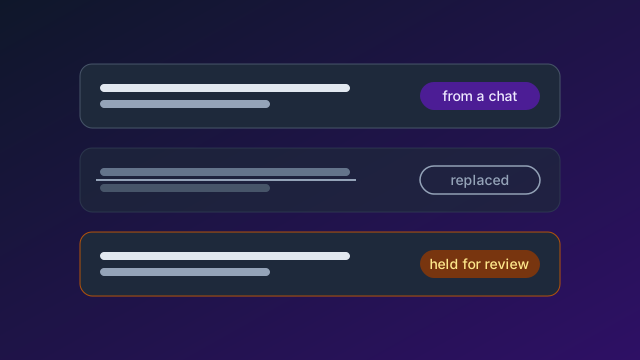
Membro keeps every conversation word for word, plus a separate list of facts drawn from them. Each fact points back to the message it came from. The short profile a model sees is rebuilt from that list, so I can trace any line in it back to a chat.
Why I built it this way
I wanted to be able to open the memory, find a fact, see where it came from, and fix or erase it myself. That means the original chats can't be edited by anything automatic, and every fact has to carry its source.
Some facts are riskier than others. A fact that came from a guest in the room, from a web page, or from another tool saving on its own is held until I approve it. Those are the places a wrong fact is most likely to come from.
Stack
- Python with FastAPI
- SQLite, with full-text search for finding words in old chats
- The Model Context Protocol, so Claude, Crossband and other agents can recall and save
- Claude Haiku 4.5 as the default fact miner. On my Mac the miner runs on Claude Sonnet 5.5, with Haiku 4.5 checking held facts.
- OpenAI embeddings, optional, for matching facts by meaning as well as by words
- Passkeys for the admin pages
What it does
- A chat app sends each conversation over. Every message is kept word for word with its date and who said it, and nothing automatic ever edits it.
- After each chat, a model I call the miner reads it and proposes facts. It sees the newest facts Membro already has, so it can spot what's changed.
- Each proposed fact goes through checks. Names and dates in a fact have to appear in the chat it came from. Facts from roleplay, or from a model guessing what it knows about me, are held. Chatter about building software is dropped.
- A held fact is stored but kept out of recall until I review it. The review page groups held facts by why they were held, and I can approve, dismiss or replace each one.
- When a fact changes, the old one is kept as history and marked as replaced, so I can still see what used to be true.
- The profile a model sees is rebuilt from up to 500 facts into 2,000 words, and it records which facts it was built from.
- I can erase a fact, a file or a message. The erasure log records what kind of thing went and its id, never its content. Facts mined from an erased message go back to review.
What went wrong
- Searching old chats quietly returned nothing. The search index had fallen out of step with the stored messages. Membro now checks the index at startup and repairs it, and its health page says whether the two match.
- The review queue flooded. Over 12 days, 680 facts were held, and 585 of them were held for the same reason: they came from an app Membro didn't trust yet. Clearing them as one long list dropped two facts I wanted to keep. Trusted apps are now a setting, and the queue groups facts by cause so one decision clears one cause.
- The miner copied tags from its own instructions into its answers. Of 619 facts mined from Crossband since 13 August, 442 lost the link to their source message. The parser now reads those tags, and a script put the links back.
- The roleplay check read the AI's words as well as mine. When a model said "rehearse your set", real facts were held as roleplay. The check now reads only what people said.
- Profiles got cut short. The model's thinking used up its token limit, and profiles that stopped at 473 and 971 words were saved. The limit doubled, and an unfinished reply is never saved.
How well it works
I test it with questions from LongMemEval, a public benchmark for long-term chat memory, asked through Crossband. On a 60-question sample on 28 September it got 33 right. That's a sample, and it isn't a full LongMemEval score. It was weakest on preferences, with 1 of 10.
I then reran the 20 preference and multi-session questions. They scored 5 at the start, 10 after changes to how the miner reads a chat, and 16 after a run of further fixes, one of them moving the miner to Claude Sonnet 5.5.
Boundaries
- Membro answers only on my Mac unless I give it a token, and it can be widened to my own Tailscale network but never to the public internet.
- Searching old chats word for word needs my token, even on my Mac.
- Anything saved through MCP is always held for review, whatever app it says it came from.
- The model that checks held facts is off by default. It can only release a fact held for a missing name, and only by quoting that name from the chat.
The code
shawn-durrani/membro on GitHubMy prompt cache was working. The bill still looked wrong.
23 Jun 2026
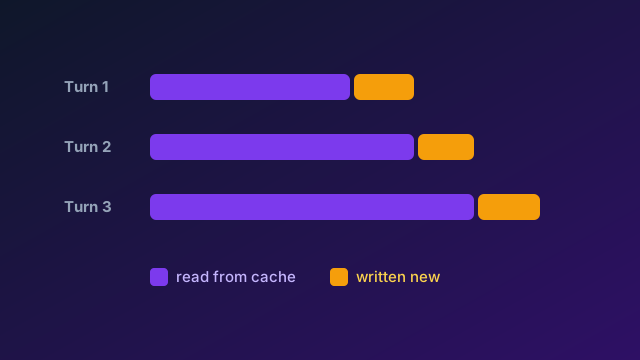
Crossband sends one growing conversation to several models on every turn. That's what prompt caching is for. The provider keeps the start of a prompt it has seen recently, and charges a fraction of the normal price to read it again.
Twice, Anthropic flagged that my cache hit rate looked low. Both times my first guess was that the cache wasn't being reused, and both times the numbers pointed somewhere else. The second time, they also showed that my own spend page had been reading low for weeks.
How the cache is priced
With Anthropic's prompt caching, writing part of a prompt into the cache costs 1.25 times the normal input price, and reading it back costs 0.1 times. A write costs 12.5 times as much as a read. The cache only pays off when the start of the prompt stays the same from one call to the next. Anything that changes near the top means everything after it is written again.
OpenAI caches automatically, and its API doesn't report cache writes, so I can't see that side of the cost yet.
Stack
- Anthropic's API with two cache marks per prompt and the default five-minute cache lifetime
- OpenAI's Responses API, where the unchanging instructions go first so its automatic caching can reuse them
- A log line for every call with fresh input, cache reads, cache writes and output, plus the chat and the tool list it used
- A spend page in Crossband built on that log, priced from each provider's published rates
What I got wrong first
Before the code went public, the memory summary sat at the top of the prompt. Every time it changed, the whole prompt was written to the cache again. My first fix moved it, but still ahead of the conversation, so the conversation missed the cache on every call.
Then I misread my own fix. My log didn't record which chat or which set of tools a call used, so the fix looked like it hadn't worked. It had cut the turns with a real cache miss from 39.2% to 8.8%.
When Anthropic first flagged a low hit rate in August, I measured 14 days of calls. Across 916 replies, 86% of the input was read from the cache, with about one token written for every five read. The cache was doing its job.
What the second review found
In late September Anthropic flagged a low hit rate again. A review of the last month found real leaks, and none of them were in the cache itself.
- My spend page was under-reading. Over 30 days, 182 of 487 Claude calls left no message behind, mostly models choosing to stay silent, and the page never counted them. It read about 27% low.
- Every restart wrote the cache again. Each run of the app made a new marker that sits in the prompt, so the first call after a restart started from nothing. There were 105 restarts in four weeks, and the three that landed within five minutes of a reply cost about 64,000 tokens of cache writes.
- The list of tools changed partway through chats. A tool that went offline dropped out of the list, which changes the very top of the prompt. Nine changes cost 234,059 tokens of cache writes.
- Changing a model's effort setting broke the cache too. Eight changes cost about 126,000 tokens of cache writes, and six of them had no recorded cause.
- My health check called a 62% read share healthy.
All of these were fixed the same day. The tool list is now fixed for the whole chat, and a tool that's offline refuses the call with a reason. The marker survives restarts. Cache health is judged on the share of input read from the cache, and 80% or more counts as healthy.
How the prompt is laid out now
- The tools, fixed for the whole chat.
- The instructions that don't change: who each model is, the shared rules and the chat summary. The first cache mark goes here.
- The conversation so far, with the second cache mark on the second-to-last message.
- Everything that changes every turn, after both marks: the memory summary, memories fetched for this turn, who has already replied, and the voice rules.
What's still open
Over the month from 31 August, Claude's share of the bill split like this: 49% on input sent at full price, 36% on cache writes, 12% on cache reads and 3% on output. The part that changes every turn is about 4,500 tokens, and the memory summary is about 3,000 of those.
Giving the summary its own cached block could cut about 18% of what the Claude seats cost. That's an estimate, so I'm measuring it for a week before deciding, and the report runs on 6 October. Every figure here comes from published price lists applied to my own logs, and none of it is from an actual bill.
The code
shawn-durrani/crossband on GitHubCrossband: putting different AI models in the same conversation
12 Jun 2026
I was bouncing between different AIs to get a proper counter-discussion, copying and pasting context from one to the next. It worked, but I spent too much time keeping them caught up with each other.
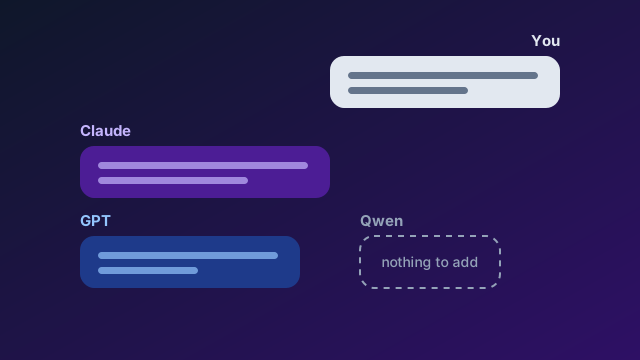
So I built Crossband: one conversation where Claude, GPT and other models can see what the others have said and respond to it directly. I can type or talk to them, and another person can join too.
Connecting the models was the easy part. The whole point was to get them to disagree, and their default is to agree with each other and use more words doing it. I gave them a way to say nothing when they have nothing to add, and I still catch them echoing each other.
Voice made it messier. If the app gets the words right but puts them on the wrong person, that mistake can follow the conversation into memory. I'm still working on that.
Why I built it this way
Every model reads the same transcript. Each one sees its own past replies as its own, and everyone else's as labelled turns from the group, so a second model can push back on the first without me copying anything across.
It runs on my Mac, for one household and one owner, and there's no hosted version. I reach it from my phone over my own Tailscale network. The first version came together in June 2026, and the code went public on 6 August. I build it with coding agents, mostly Claude Code, and about 330 pull requests have been merged since then.
Stack
- Python with FastAPI and SQLite on the back end
- React on the front end, built for desktop and phone
- Claude from Anthropic and GPT from OpenAI as the main seats
- Local models through Ollama, LM Studio or MLX, including a Qwen model running on my Mac
- ElevenLabs for voice in both directions, speech for each model and live transcription of what people say
- sherpa-onnx for telling voices apart on my Mac
- Claude Code, through the Claude Agent SDK, as a guest that can work on code
- Playwright for reading web pages
- Membro for memory, a separate app of mine
- Passkeys for the lock screen
What it does
- Several models share one chat, each in its own seat. A new model starts as a trial seat that only speaks when I name it.
- A model can pass. A reply that's only
[pass]is removed before anyone sees or hears it. A model I name can't pass. - I can talk to the room, and each model answers in its own voice. When more than one person talks, the app works out who said what. I've written that up in a post of its own.
- Claude Code can join for one turn to look at a repo, run a project's commands, or make a change and open a pull request. It can never merge.
- Models can search the web and read pages, and everything they fetch goes through one checking proxy.
- Memory comes from Membro. Facts that came from a guest or a web page wait for my review before any model can recall them.
- A spend page shows what each model costs. It keeps pay-per-use costs and subscription costs apart and never adds them together.
What went wrong
- The models restated each other and claimed each other's points. Their instructions told them to stay quiet when they had nothing new and also to be helpful, and helpful won, so they made up angles. The silent pass helped. A reply that still repeats another seat now gets one retry, and if it repeats again it's dropped. The prompt wording alone never held.
- One evening the voice system misheard "This is Claude" and added Claude to the room as a person. It then saved a real person's voice under that seat. I deleted it twice, and it came back each time. The app now refuses to seat any name that matches one of the AIs, including misheard spellings.
- The local Qwen seat started giving the same answer word for word. The bug was upstream, in mlx-lm, and an MLX upgrade fixed it.
- The bill didn't match what I expected, even though the prompt cache was working. That one has its own post too.
- In voice chats the app sometimes stays on Listening after I've finished talking. Several causes are fixed, but it still happens, and each stall now saves a diagnostics file so I can find the next one.
Boundaries
- The app answers on 127.0.0.1 only. From my phone I reach it over my tailnet, and it stops serving if Tailscale Funnel, which would make it public, is switched on.
- A model can only fetch a web address that already appeared in the chat from something other than a model. It can't make up an address and send data out through it.
- Claude Code works in its own copy of the repo, can't read the app's secrets, and can never merge or push to main.
- Anything pasted or fetched into the chat is marked as coming from outside, so it can't pass itself off as the app's own instructions.
The code
shawn-durrani/crossband on GitHubAn affiliate pipeline run by agents, from a video to a checkout
13 Feb 2026
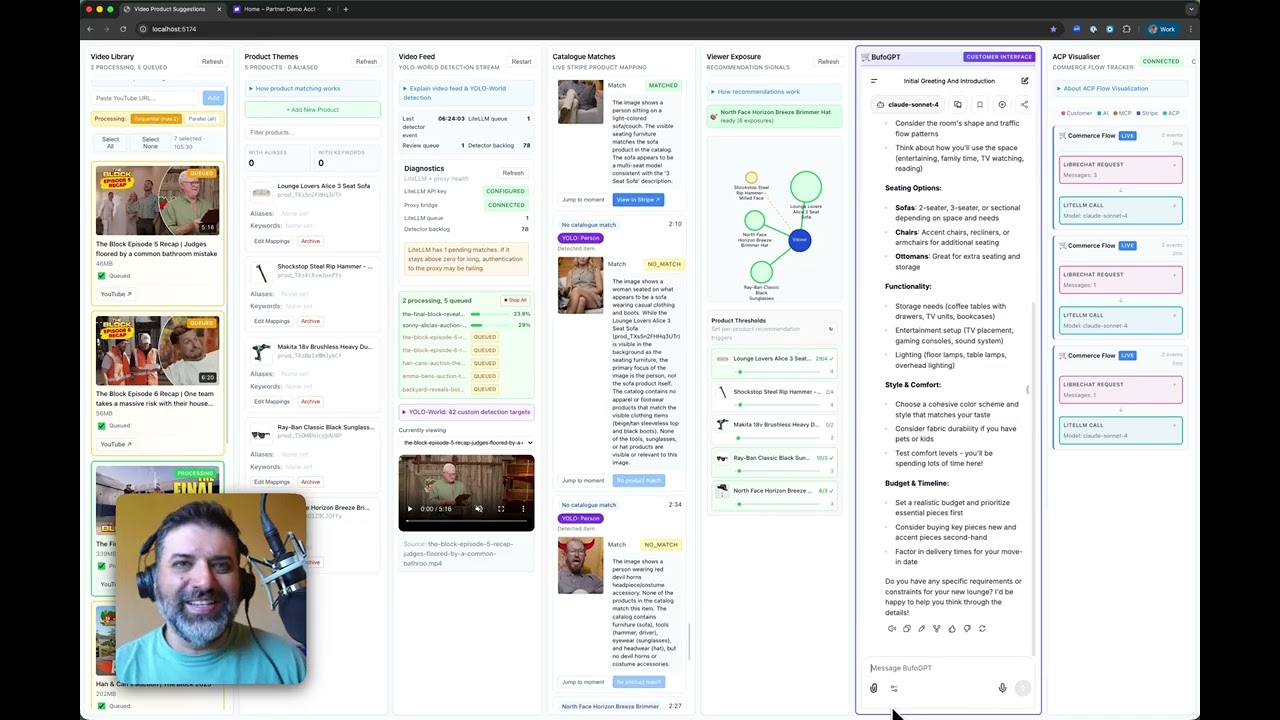
If someone keeps seeing the same products in the videos they watch, could that be turned into a signal, offered in a chat with their consent, and carried all the way to a purchase? I built a pipeline to find out, joining video, product matching, a language model and Stripe end to end.
It runs in six steps: a video library, object detection, a match against an affiliate catalogue, a structured interest signal, a recommendation from the model, and a Stripe transaction.
Why I built it this way
Each step is its own piece, so I can watch what comes out of it and test it on its own. One big prompt would have hidden where things went wrong. Split up, I could see each failure as it happened and break one piece at a time to see what it did to the rest.
Stack
- YOLO World to spot objects in the videos, matched against an affiliate catalogue
- Bufo, a GPT-style chat client of my own, with Claude answering
- An MCP server that hands the chat the interest signals
- Stripe's agentic commerce protocol to create a shared payment token and finish the checkout
- Built with OpenAI Codex
What it showed
- What's on screen in a video can be turned into a structured hint about which products someone is interested in.
- A recommendation can be added to a chat without replacing the assistant's own answer.
- An affiliate suggestion can go from a line in the chat to a completed Stripe transaction in the same flow.
- The payment, and who gets credit for the sale, can be tied back to the recommendation the agent made.
What went wrong
- Delay adds up fast. Detection, then reasoning, then payment, each waits on the one before it.
- If what someone watched is shaping what they're offered, they have to be told so and asked first. That can't be an afterthought.
- The checks matter more once an agent moves from suggesting something to buying it.
What I'd do next
- Run detection and matching ahead of time as batch jobs, so the chat isn't waiting on them.
- Store the scored interest signals once, and stop recomputing them on every message.
- Add a firm confirmation step before the agent can complete a purchase.
- Keep recommendations opt-in, and show the reason for each one.
It's a working prototype, built to see how an agent behaves when money, a brand's reputation and a model's guesses all meet in one flow.
Watch the video
Agentic affiliate pipeline experiment on YouTubeMCP Merchant: a public MCP server for agentic commerce
15 Sep 2025
October 2026: this demo is offline now, and the addresses below don't answer. The write-up stays as a record of what I built.
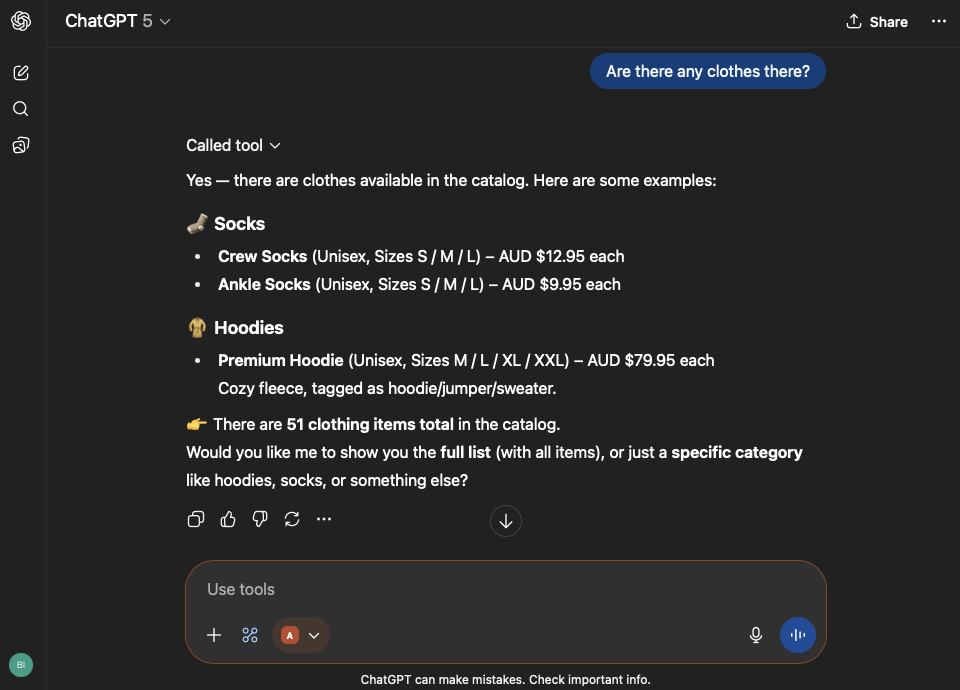
An AI agent had no good way to find a shop it could talk to. MCP Merchant was a small shop front for agents, listed in the Model Context Protocol Registry so an agent could find it and start using it straight away. It only answered questions, its catalogue was Stripe test data, and its answers were capped, so it was safe to leave open on the internet.
Why I built it this way
Finding a service and using it for the first time were two separate problems, with nothing joining them. I wanted to show one small shape that did both: publish the server's details to the registry, host a small streaming endpoint, and offer two safe tools over a real catalogue. No custom connector and no app, and small enough that a team could copy it.
Stack
- An MCP server, registered as
ai.shawndurrani/mcp-merchant, version 0.1.1 - Two ways to connect: a hosted streaming endpoint, and a local one through npm
- Stripe products and prices, in test mode, as the catalogue
- About 94 items held in memory, priced in Australian dollars
- Two tools:
healthandsearchProducts
What it did
- Answered product searches, read-only, by matching text in a product's name or description, a page at a time.
- While it was up, you could add it to ChatGPT as an MCP server at
mcp.shawndurrani.ai/sse, or open it in the MCP Inspector. It had a registry explorer page atmcp.shawndurrani.ai/exploreand a health check atmcp.shawndurrani.ai/healthz.
Boundaries
- Stripe test mode only, and no personal data anywhere in it.
- At most 20 results a page, and a cap on how long a query could be.
- A cap on how many products it would hold, so a bigger catalogue couldn't fill its memory.
Agentic commerce demo: a checkout you talk your way through
2 Aug 2025
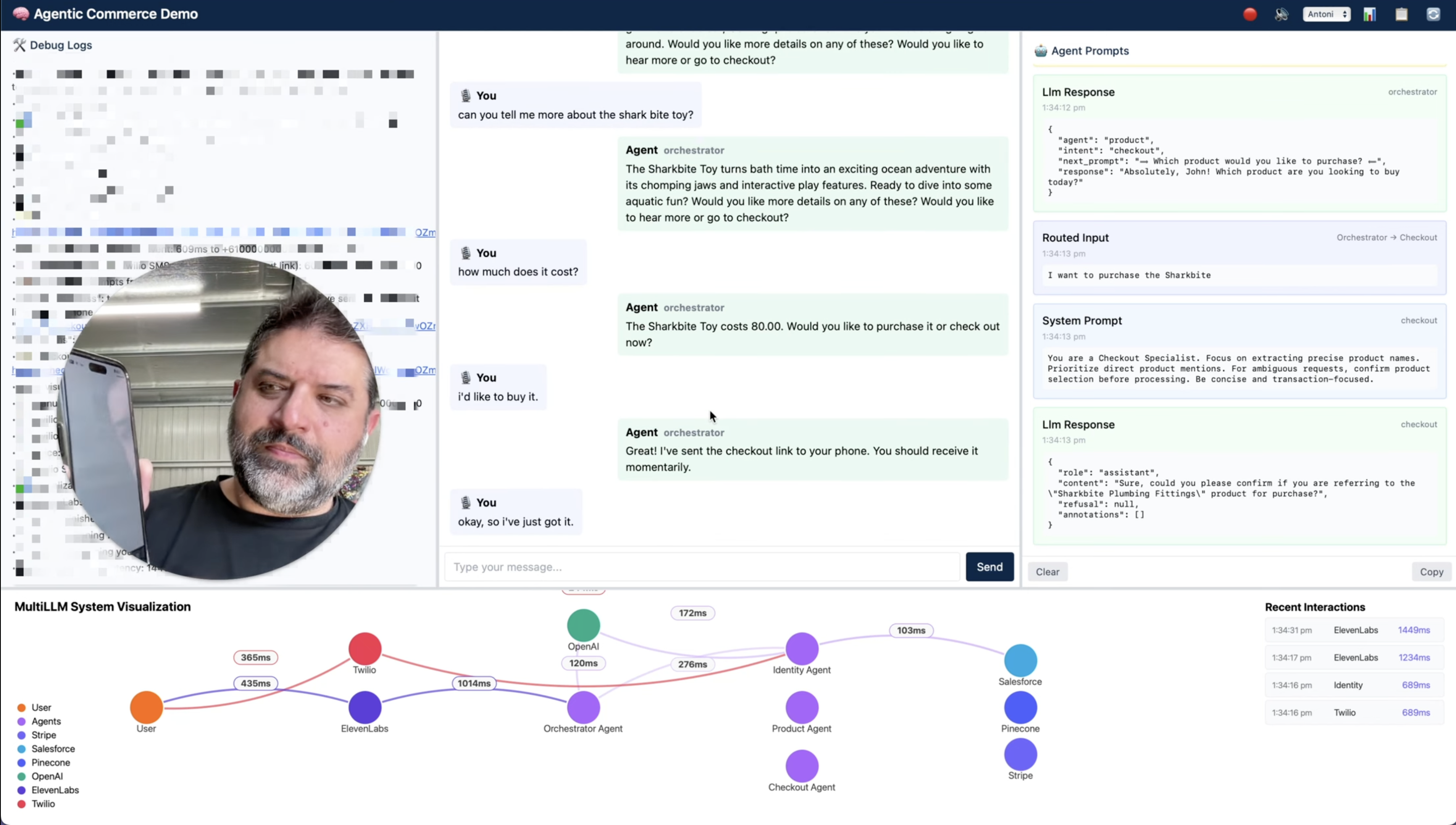
Could an AI agent take someone from a first hello to a paid order, by voice alone, with no screens to tap through and no support person in the loop? This was my third rewrite of a demo asking that question. It started in Python and HTML, and I moved it to JavaScript and React when I hit limits on how I could organise the agents and how fast they could respond.
Why I built it this way
I stayed away from all-in-one platforms. I wanted separate services that a startup might pick up, joined by my own code, so the seams would show. I also don't write code the usual way. Most of this came from shaping prompts, writing small tests, and working with models through Cursor and Claude Code.
Stack
- OpenAI models as the lead agent and the specialists under it
- ElevenLabs to turn speech into text and text back into speech
- Pinecone to hold product details and find them again
- The Stripe Agent Toolkit for the catalogue and checkout links
- Salesforce as the customer record
- Twilio to send and check one-time codes
- Node.js on the back end
- ngrok to let the services call back to my machine
What it does
- A new customer talks their way through signing up. The agent takes their details, sends a code to their phone and checks it, creates them in Salesforce, helps them pick a product, and sends a checkout link.
- A returning customer is recognised by their phone number, checked with a fresh code, and taken straight to paying with their saved card.
What went wrong
- The prompts were fragile, worst at the handover from one agent to the next around products.
- Agents made up product names, or skipped the lookup step.
- Too much of the logic lived in prompt instructions, which made it hard to work out why something happened.
- Checking the code, creating the Salesforce record and starting the Stripe checkout raced each other.
- Voice was uneven. Transcription missed words, and the delay was too long for a natural back and forth.
It works, and it's testable, and it's closer to something you'd build in-house to test an idea or show a customer than to a product.
Watch the demo
Agentic commerce demo with the Stripe Agent Toolkit on YouTube
About
I'm a Deployment Strategist at ElevenLabs. Before that, I spent nearly five years at Stripe working with partners on payments and, later, experiments around AI and commerce.
I tend to learn by building something I want to use. That's how the projects here started. I use coding agents heavily, but the work I enjoy most is deciding what the system should do, trying it, finding the strange edge cases and going back to change it.
Outside of work, I spend time with my family, ride mountain bikes badly downhill and think about how GenAI changes platform design and developer tooling.
This site is a lightly chaotic trail of what I’m building, learning and occasionally getting wrong. Thanks for visiting!